Listen first. Then take five rounds.
This auditory reaction time test uses a short beep as the signal. Select Preview sound before starting. Check that you can hear it clearly at a comfortable volume through the output device you intend to use. You do not need a microphone, and the page does not record sound from your surroundings.
Click the large panel to begin a round. After a random wait, the beep plays. Respond as soon as you hear it by clicking or tapping the panel, or by pressing Space or Enter while the panel has focus. The waiting display does not change into a visible “go” cue when the sound starts. That keeps the intended signal auditory.
Complete five valid rounds to see your session median, mean and best response. Begin each round separately when you are ready. An input before the beep is marked early and excluded from the timing summary. A round cancelled by leaving the tab is recorded as interrupted. A ten-second nonresponse is recorded as a timeout rather than converted into a typical response.
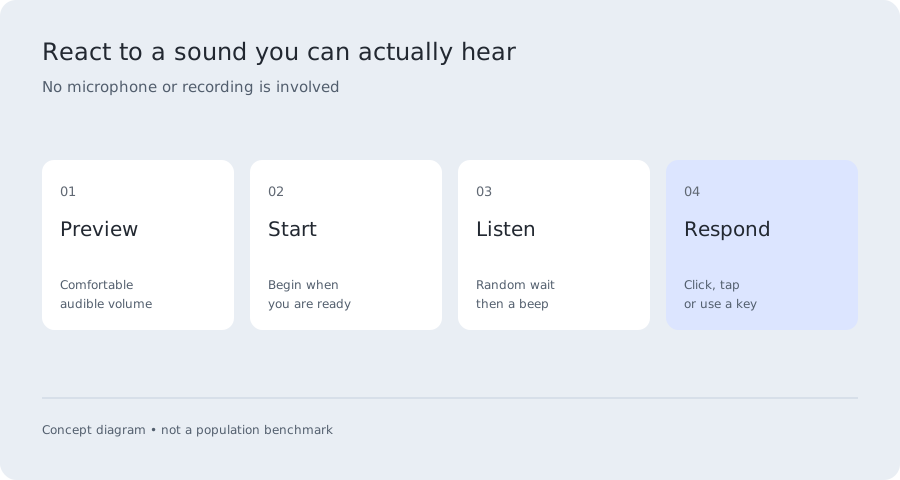
Auditory reaction time includes the audio output path.
The auditory reaction time timer starts when the page requests the beep and stops when it receives your input. The physical sound may reach your ears later than that software event. Browser processing, the operating system, the sound device and its connection can all contribute to the difference.
Web Audio exposes some timing information, but one reported latency field is not a complete acoustic calibration. MDN describes baseLatency as a processing delay between the audio destination and the host audio subsystem. It does not establish the moment a particular listener hears the tone. This tool therefore reports the uncorrected interval instead of subtracting an estimated universal delay.
Keep the same headphones or speakers when comparing auditory reaction time sessions. Changing from one output path to another is a new condition. Record it as such even if the volume sounds similar. We do not label a difference between output devices as a change in your nervous system.
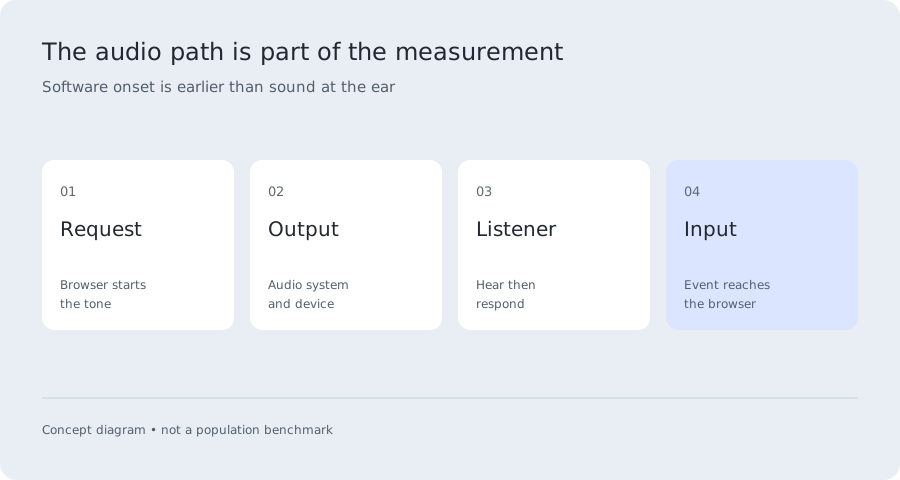
Sound versus sight: compare carefully.
Auditory reaction time and visual reaction time involve different signals and equipment. It is possible to compare your sessions descriptively, but the difference includes the measurement chains as well as your responses. A sound score minus a visual score does not isolate the speed of hearing relative to vision.
A study by Jain and colleagues compared auditory and visual responses in first-year medical students and reported faster auditory responses in that sample. The study’s participants and apparatus do not define a percentile table for this website. A published group tendency also does not guarantee the same ordering for every person or every device.
If you want an exploratory comparison, use the same computer and input method. Preview the sound, practice both tasks, then complete one visual session and one sound session. On a later comparison reverse the order. Keep the full records and note the output device. Treat the difference as a result of those conditions, not a diagnosis or proof of a sensory advantage.
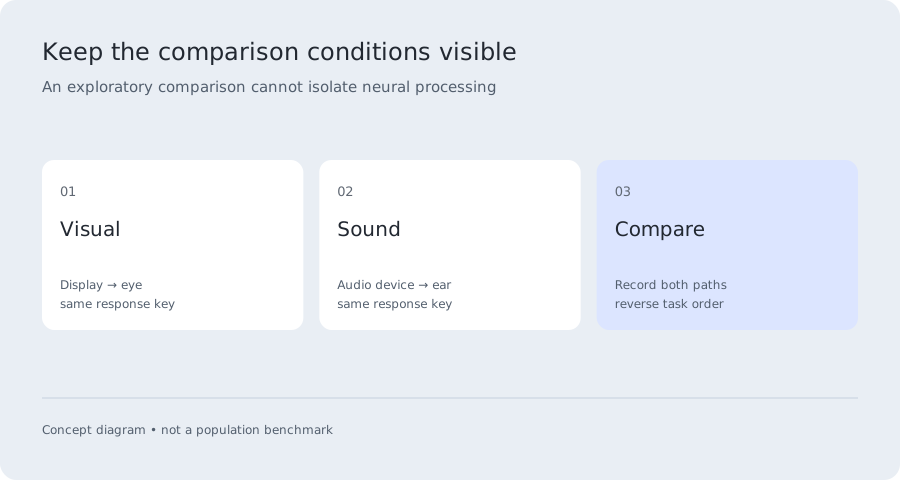
Read the full session, not just the lowest value.
The median auditory reaction time is the middle of the valid values after sorting. The mean includes every valid response and can be shifted by a long delay. The best value is your fastest recorded valid attempt. A correctly timed guess can still look fast, so none of these statistics alone proves that you responded to the sound rather than anticipated it.
For an illustrative session of 180, 190, 200, 210 and 420 ms, the median is 200 ms and the mean is 240 ms. Those numbers demonstrate arithmetic; they are not an average auditory reaction time benchmark. Inspect the individual attempts to understand why two summary numbers differ.
Download the CSV when you finish. It includes the mode, trial number, measured milliseconds when available, input method and validity status. Early inputs and interruptions remain visible in the record but do not enter the valid timing average. This makes the exclusion rule explicit and lets you retain your actual observations rather than only a favorable screenshot.
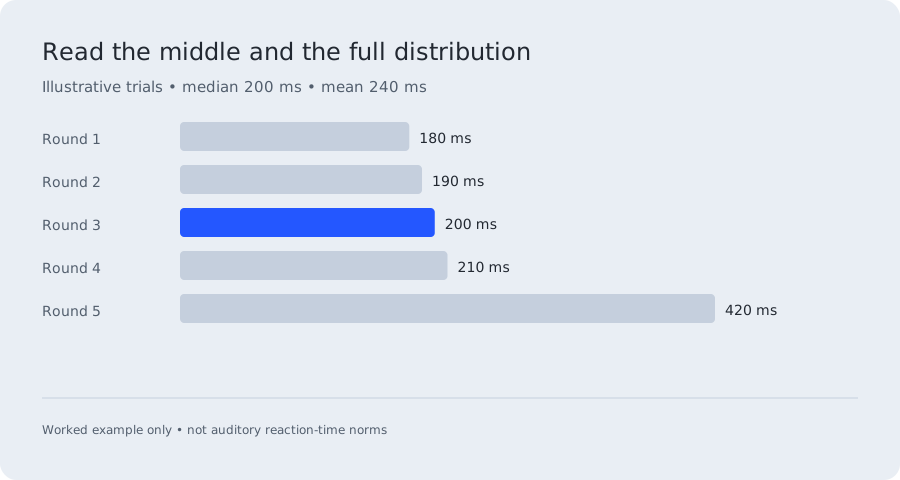
If the sound is missing or the score seems unusual.
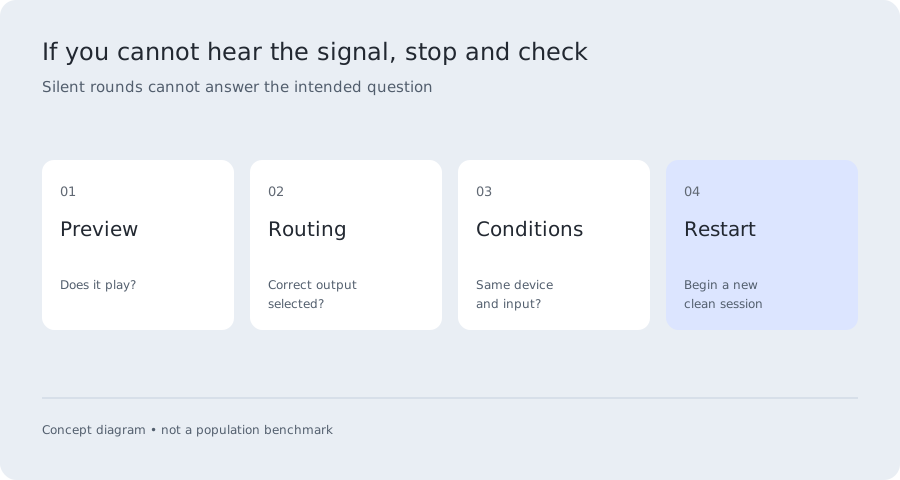
Use Preview sound again before starting a new auditory reaction time session. Check the browser’s site audio setting, the selected output device and its volume. If preview cannot play, the page reports an audio error. Do not begin by repeatedly clicking through silent rounds: the result would not represent a response to a signal you heard.
If your auditory reaction time is slower than your visual score, check the output path and whether the tone is comfortably audible. Bluetooth routing, different speakers, distracting background sound or unfamiliar instructions can complicate a comparison. The tool does not identify the cause automatically or promise that replacing hardware will remove a particular number of milliseconds.
This is an audio reaction time test, sometimes searched for as a sound reaction time test or hearing reaction time test. It is not an audiogram or hearing-health assessment. It does not measure hearing thresholds across frequencies. If your concern is a change in hearing or another everyday difficulty, use an appropriate professional assessment rather than this browser game.
Questions, answered.
Why is auditory reaction time often faster than visual reaction time?
Studies can find faster responses to sound under their specific stimulus and task conditions. This does not mean every online sound score must be faster. The physical output paths differ, and a browser comparison includes those delays. We do not claim to isolate the neural contribution.
Can I use Bluetooth headphones?
Yes if you can hear the preview, but record the output device and keep it consistent. Wireless audio can involve buffering and processing. This test does not measure or remove that delay, so avoid treating a device comparison as a personal biological change.
Does the auditory reaction time test need microphone access?
No. It generates a beep locally after your action and waits for your input. It does not ask for microphone permission, record ambient sound or send an audio recording to a server.
What if I clicked before hearing anything?
An input before the software beep request is marked early. If you anticipated a beep and landed after that request, the tool cannot infer your intention. Reset or repeat the session without guessing and retain complete records.
Can I compare my result with a published average?
Only with the method differences clearly stated. The source must specify its stimulus, response, equipment, sample and statistic. This auditory reaction time page does not turn a laboratory average into a browser percentile or a pass/fail threshold.
Sources & methodology
Reviewed September 21, 2026. Research values belong to the task and sample named below. Illustrative examples are labelled; they are not population data.
A task- and sample-specific comparison. The paper does not establish norms for this website.
Technical scope of the browser-reported audio processing delay. We do not treat it as complete acoustic calibration.